7 Days Cat-Sitting Controls & House Interactables
Every button and prop that matters across seven days of cat-sitting Whiskers.
What this page covers
In most Roblox wikis, “Players” means a roster. For 7 Days Cat-Sitting, the useful player-facing page is controls plus house interactables — the props you must touch to keep Whiskers alive and anomalies contained. Pair this with Getting Started, Day 1 survival, and the Anomaly Priority Tier List.
Studio: HELP ME PLEASE. Experience place id 116802325837172, universe 10766506199. Sessions support a multiplayer lobby feel (community notes cite up to 16 players), but your critical loop is still the house checklist.
Core controls
| Input | Action |
|---|---|
| WASD / left stick | Move through rooms and outdoors to the mailbox |
| Mouse / right stick | Look for window faces, hallway figures, prop shifts |
| Jump | Clear small geometry; not a puzzle solution by itself |
| Interact (E / tap prompt) | Open cupboards, fridge, doors, blinds, curtains, toilet flush, TV, stove-related props |
| Click / tap hold | Drag laser pointer during play minigame; aim near Whiskers so the blue bar keeps filling |
| Phone UI | Photograph anomalies and send hints to the owner when the game allows |
| Sleep / bed interact | Advances the day — only after chores and threats are clear |
Mobile players should pin the interact button and practice laser aim; the bar resets if the pointer drifts too far from Whiskers. Keyboard players should slow down near windows so pale faces are not mistaken for wallpaper.
Daily house interactables (chore loop)
Cat food cupboard and bowl
Take food from the cupboard, then place it in Whiskers’ bowl. Skipping feed is the intentional path toward Unfinished Business. On survival runs, confirm the bowl state before you start anomaly tourism.
Laundry room litter box
Open the laundry room if the door is closed. After Whiskers uses the box, start the litter cleaning minigame and finish it. Skipping yields Uh Oh Stinky. Auto Litter toggles on shady hubs (see Scripts) exist but risk bans and teach nothing.
Living-room laser pointer
Pick up the laser pointer, keep the dot close enough that the blue play bar fills completely. If it restarts, you aimed too far away. Incomplete play links to Ancy.
Front door, outdoors, mailbox
Open the front door, walk to the mailbox, collect mail, return inside, then lock the door. No mail → Evicted. Unlocked door → Intruder Alert. If the mailbox has vanished into darkness, you are in void territory — close blinds instead of treating it as a normal mail day (Anomalies).
Fridge, microwave, dinner, stove awareness
Open the fridge, take the microwave dinner, close the fridge, heat the meal, eat it. Skipping food trends toward Starved. Leaving heat hazards active trends toward Fired. Always re-check the kitchen after eating.
Bed
The bed is the day-commit button. Sleeping is how both good progress and bad endings resolve. Never sleep mid-anomaly.
Anomaly-related interactables
Blinds and curtains
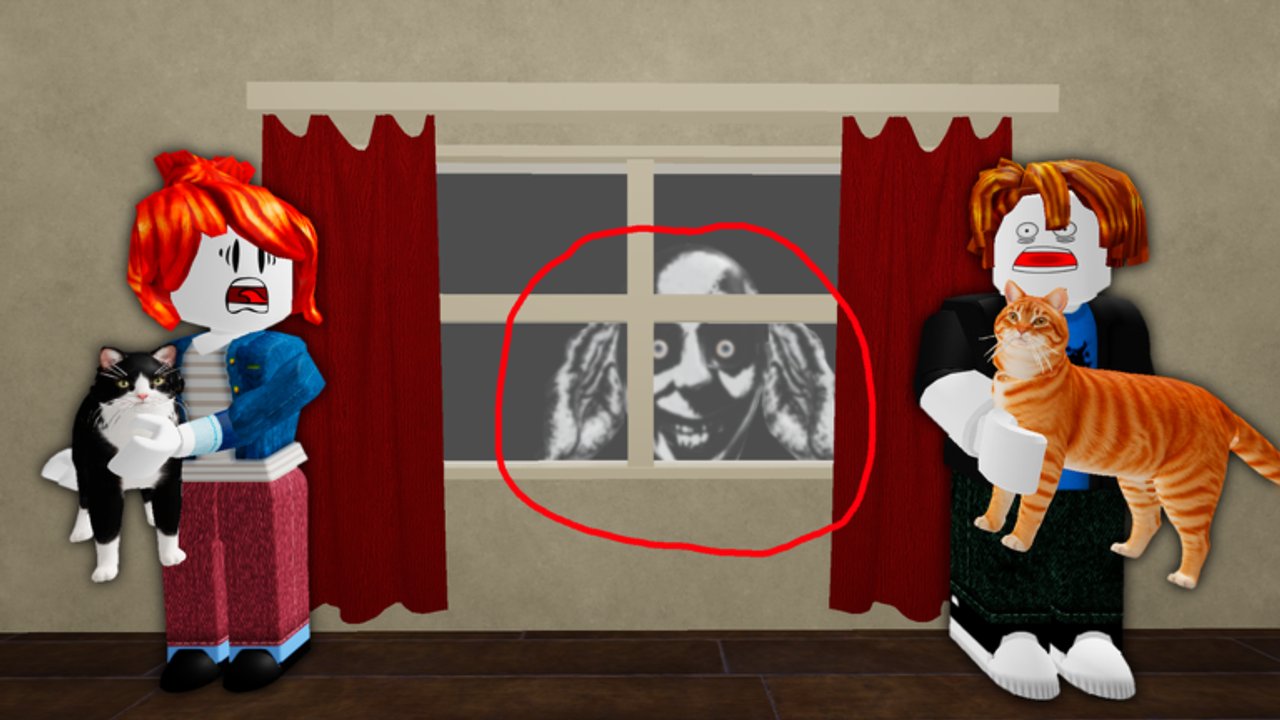
Blinds answer void/outdoor darkness beats. Curtains answer pale faces at specific windows. Do a full perimeter pass; living-room sightlines hide secondary panes.
Phone camera
Photograph the Tall Man in the hallway (and other prompted threats). Photos can dismiss the figure and feed owner hints. No photo → Peek a Boo style fails.
Toilet flush
When a head appears in the bowl, flush. The interactable is easy to ignore if you never enter the bathroom that night — add it to your pre-sleep route.
Television
Used when a large street creature needs interrupting. Turn the TV on as the counter, then recheck windows so you do not tunnel-vision the street.
Whiskers as an interactable “object”
Sometimes the cat itself is the anomaly (human head). You may need to look / stare for a few seconds rather than click a separate tool. If you treat Whiskers as scenery only, you will miss Not my Cat! prevention.
Door answering discipline
Granny-style knocking is about not completing the wrong interact. Stay away from the admit path until knocking ends. The “item” here is self-control, not a prop pickup.
Pre-sleep interactable checklist
- Bowl fed
- Litter cleaned if used
- Laser bar filled
- Mail collected (or void blinds handled)
- Door locked
- Dinner eaten, stove safe
- Toilet checked / flushed if needed
- Windows and hallway cleared
- Street/TV checked if a creature spawned
- Whiskers’ appearance verified
- Bed
Print that order into muscle memory using Day 1 survival, then stretch it across all seven days for the Canon Good Ending.
Multiplayer and camera tips
With other players in the experience, call out which rooms you already cleared so two people do not double-feed while ignoring the hallway figure. Camera elevation helps spot street creatures; crouched corner peeks help confirm window faces without committing to outdoor exposure during void nights.
What this page is not
- Not a character tier list — use Tier List for anomaly priority.
- Not a codes page — there are no verified promo codes (Codes Hub).
- Not an endings encyclopedia — see All Endings and the Wiki overview.
Master the interactables first. Every badge route, good or bad, is just a different way of touching — or refusing to touch — these same house items.
Frequently Asked Questions
Quick answers about surviving Whiskers and every anomaly.
What are the most important controls to learn first?
Movement, interact prompts, laser aiming for the blue bar, phone photo, and the discipline to only use the bed after a full house sweep.
Which house items fail a run if ignored?
Food bowl, litter box, laser pointer, mailbox/mail, door lock, dinner/stove, blinds, curtains, toilet flush, TV for street threats, and visual checks on Whiskers.
How does the laser minigame work?
Keep the pointer close enough to Whiskers that the blue bar fills. If you aim too far away, progress resets and you risk the Ancy ending when you sleep.
Do I always need to collect the mail?
On normal days, yes, then lock the door. If the mailbox is missing and the outside is void-dark, close blinds instead of forcing a normal mail interaction.
Is there a dedicated combat button?
No traditional loadout combat. Threats are handled with props, photos, stares, flushes, TV, and correct door behavior.
Where should beginners practice the full loop?
Follow Day 1 survival for the first night order, then Getting Started for the seven-day mindset before attempting All Endings badge routes.